A small Mac app for chess players
A chess puzzle
in your menu bar.
Click the knight, solve a position, then close it again. TacticBar remembers your progress and can sync rated results with Lichess.
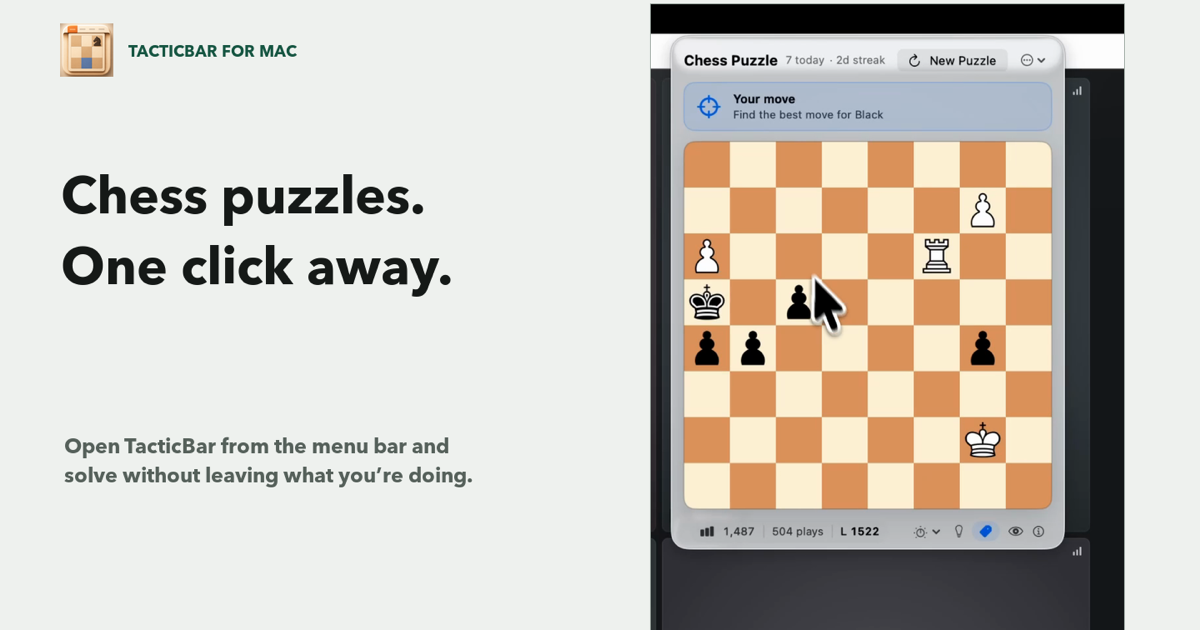
Native macOS app · Adaptive difficulty · Optional Lichess sync · macOS 14.7+
- No account required
- Lichess is entirely optional.
- Internet for new puzzles
- Your current puzzle stays saved.
- Rated Lichess results
- Your result can update your Lichess puzzle rating.
- Light and dark mode
- The interface follows your Mac.
- Keyboard accessible
- Move around the board without a mouse.
- Open from the menu bar
- Click the knight; there is no global shortcut yet.
There is not much to learn
It stays out of the way until you click the knight.
 One click in. One puzzle out.
- 01
Open it from the menu bar
TacticBar appears over whatever you are doing. Closing it takes you straight back.
- 02
Play at the right difficulty
The app adjusts to your results, or uses your existing Lichess puzzle rating as a starting point.
- 03
Lichess is optional
Connect your account for unseen puzzles and rated results, or use TacticBar on its own.
From the notebook
A few notes on solving chess puzzles.
I downloaded an unnecessarily large chess dataset because I was curious. These are the useful and slightly surprising bits.
The hardest Lichess puzzle is only four moves long
I analysed the complete public database to find the hardest, the longest, and what a normal solution actually looks like.
How do puzzle themes change with rating?
I expected fewer mates. I did not expect quiet and defensive moves to rise this much.
How to get better at chess puzzles
The checklist I use before moving, plus what to look for when an answer is wrong.
TacticBar for macOS
One puzzle when
you have a minute.
“Loved it.”